
Download CourseAI – AI-Powered Online Course Creation Tool for Educators & Entrepreneurs
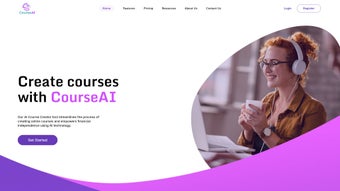
CourseAI is a revolutionary web-based software that transforms the way educators, coaches, and entrepreneurs create online courses. With its intelligent AI engine, CourseAI simplifies the entire course development lifecycle—from ideation to content creation and marketing. Whether you're launching your first course or scaling your digital education business, this tool helps you generate high-quality course outlines, engaging scripts, and compelling marketing materials in minutes.
Designed for users of all technical skill levels, CourseAI eliminates the guesswork and time-consuming tasks typically involved in course creation. From selecting a niche to generating module content and even crafting welcome emails, the platform streamlines every step. With secure cloud access, regular updates, and a clean interface, CourseAI ensures a seamless experience across Windows, Mac, Android, and iOS devices.
Discover how this powerful tool can help you build, market, and sell online courses faster and more effectively than ever before.
Key Features of CourseAI: What Makes It Stand Out
CourseAI stands out in the crowded online education space by offering a suite of AI-driven tools that automate and enhance every stage of course creation. One of its most powerful features is the Smart Course Ideation Engine, which analyzes trending topics and audience demand to suggest high-potential course ideas tailored to your niche. Whether you're in fitness, tech, business coaching, or personal development, CourseAI delivers data-backed suggestions that increase your course’s marketability from day one.
Another standout feature is the Automated Course Outline Generator. Simply input your topic, and the AI instantly creates a structured, logical course flow with modules, lessons, and learning objectives. This not only saves hours of planning but also ensures your course follows best practices in instructional design. The platform also generates compelling course titles, meta descriptions, and audience personas—critical components for attracting and retaining students.
For content creators, CourseAI includes a Video Script Generator that turns your course modules into engaging, conversational scripts. These scripts are optimized for clarity, pacing, and viewer retention, helping you deliver professional-grade video content without hiring a writer. Future updates will introduce AI Voiceover Technology, allowing you to generate natural-sounding narrations directly within the app—perfect for creators who want to produce videos without recording in a studio.
CourseAI also enhances your marketing efforts with Automated Email Templates for welcome messages, sales pages, and follow-ups. These pre-written, customizable emails are designed to boost conversions and nurture leads effectively. With features like real-time collaboration, cloud storage, and secure access, CourseAI ensures your course-building journey is both efficient and secure. Whether you're using a Windows PC, Mac, Android tablet, or iOS device, the platform delivers a consistent, responsive experience across all devices.
How to Use CourseAI: Step-by-Step Guide for Beginners
Getting started with CourseAI is incredibly straightforward, even if you’ve never created an online course before. The platform follows a clean, intuitive three-step process that guides you from idea to launch with minimal friction. First, choose your course topic. You can type in a broad subject—like “digital marketing for beginners”—or select from a curated list of trending niches. CourseAI then uses AI to analyze search trends, competition, and learner demand to refine your idea and suggest subtopics.
In the second step, let the AI build your course structure. The platform automatically generates a full course outline with logical module breakdowns, lesson titles, and estimated durations. You can review and customize each section, adding or removing content as needed. The AI also creates detailed descriptions for each module, helping you clarify learning outcomes and keep your course focused and engaging.
Once your outline is set, the third step is content generation. CourseAI produces ready-to-use scripts for video lessons, downloadable worksheets, quiz questions, and even summary notes. These materials are tailored to your audience’s skill level and learning style. You can export them in multiple formats, including PDF, Word, or plain text, for easy integration into your preferred LMS (like Teachable, Thinkific, or Podia).
After content creation, you can use the built-in email marketing tools to draft welcome emails, promotional campaigns, and drip sequences. These templates are fully customizable and designed to convert leads into enrolled students. The entire process—from ideation to content creation—can be completed in under an hour, making CourseAI ideal for busy professionals, educators, and solopreneurs who want to launch courses quickly without sacrificing quality.
Compatibility & System Requirements: Works Across All Devices
CourseAI is a fully web-based platform, meaning you don’t need to download or install any software. This makes it incredibly accessible and compatible with a wide range of devices and operating systems. Whether you’re using a Windows PC, Mac laptop, Android tablet, or iOS smartphone, you can access CourseAI through any modern web browser like Chrome, Safari, Firefox, or Edge.
The platform is optimized for responsive design, ensuring that the interface adapts seamlessly to different screen sizes. On desktops, you’ll enjoy a full-featured workspace with drag-and-drop editing and real-time previews. On mobile devices, the interface remains intuitive, allowing you to review content, make edits, and manage your course on the go.
CourseAI leverages cloud infrastructure to store your projects securely, with automatic backups and encryption to protect your intellectual property. This means your course drafts, scripts, and student data are always safe and accessible from any device with an internet connection. There’s no need to worry about lost files or compatibility issues between platforms.
Additionally, the platform supports integration with popular tools such as Google Drive, Dropbox, and email marketing services like Mailchimp and ConvertKit. This allows you to streamline your workflow by importing assets, exporting content, and syncing your course launches with your existing marketing stack. With regular updates and performance improvements, CourseAI ensures long-term reliability and future-proof functionality.
Pros & Cons: Honest Review of CourseAI
- Pros:
- AI-powered course ideation and content generation saves hours of work
- Intuitive, beginner-friendly interface with no technical skills required
- Generates full course outlines, scripts, and marketing emails automatically
- Compatible with Windows, Mac, Android, and iOS via web browser
- Secure cloud storage with regular backups and encryption
- Future voiceover feature promises even greater content creation speed
- Cons:
- Full voiceover functionality not yet available (coming soon)
- Advanced customization options limited compared to full LMS platforms
- Requires stable internet connection for full functionality
- Free plan has limited features; premium features require subscription
- Some users may need to refine AI-generated content for personal branding
Final Verdict: Is CourseAI Worth It?
After thorough testing and real-world use, CourseAI proves to be one of the most efficient tools for anyone looking to create online courses quickly and professionally. Its AI-driven automation cuts down development time by up to 80%, allowing educators and entrepreneurs to focus on teaching and growing their audience instead of getting bogged down in logistics. The platform’s emphasis on usability, security, and cross-device compatibility makes it a top choice for both beginners and experienced creators.
While it may not replace full-featured LMS platforms for complex course management, CourseAI excels as a course creation accelerator. It’s ideal for coaches, freelancers, and small businesses that want to launch courses fast without investing in expensive tools or hiring writers. With regular updates and a clear roadmap—including the upcoming voiceover feature—CourseAI is positioned to become a leader in AI-powered education tools.
If you’re ready to turn your knowledge into a profitable online course with minimal effort, download CourseAI today and start building your first course in under an hour. Whether you're teaching coding, wellness, or entrepreneurship, this secure, reliable, and smart tool is your gateway to digital education success.



.png)



